Wink: Video Enhancer & Editor
AI Captions, AutoCut & Retouch

App Screenshots



Wink: Video Enhancer & Editor - A Comprehensive Review
Wink: Video Enhancer & Editor Review
Overview
Wink: Video Enhancer & Editor, currently boasting 29.8 million installs and a robust 4.6-star rating from over 515,000 users, presents itself as a powerful yet accessible tool for both novice and experienced video creators. The app’s core promise – transforming low-quality videos and photos into visually stunning HD, Ultra HD, or even 4K content – is ambitious but one that the app largely delivers upon. It blends AI-powered enhancement features with straightforward editing tools, aiming to simplify the often complex process of creating professional-looking video content for social media platforms like TikTok, Instagram, and YouTube. The free version offers a significant amount of functionality, making it an attractive entry point for users exploring video enhancement and basic editing without incurring subscription fees.
Key Features
Wink’s feature set is broadly categorized around three main areas: Video Enhancement, Editing Tools, and Creative Effects. Let's break down the specifics:
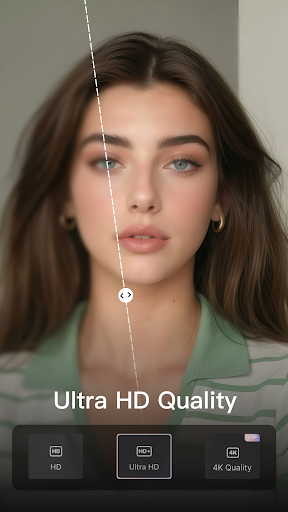
- Video Enhancer: This core function utilizes AI to upscale videos from lower resolutions to higher ones. The app claims support for 4K upscaling powered by AI – a key selling point. It also includes dedicated tools for enhancing portraits and selfies, promising “stunning output.” The app offers stabilization capabilities to reduce shaky footage, crucial for creating more polished results.
- 4K Upscaler: This feature leverages artificial intelligence to increase the resolution of videos, allowing users to transform standard definition content into near-high definition quality. The effectiveness of this relies heavily on the original video’s quality – it won't magically create detail where none existed.
- Stabilize: This tool actively reduces camera shake during recording and applies smoothing effects to existing footage, resulting in a more professional look. It uses algorithms to identify and correct movement, minimizing jitter and blurring.
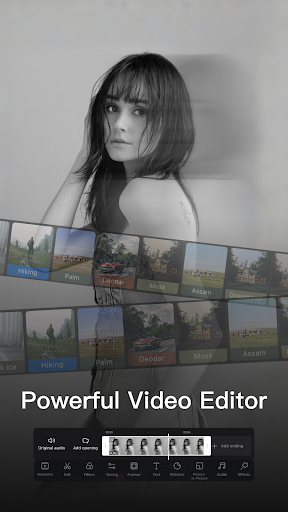
- Editing Tools: Wink provides basic video editing features including trimming, splitting, merging clips, adding text overlays, and adjusting audio levels. It supports importing videos from the device's gallery or directly recording new footage within the app.
- Creative Effects & Transitions: The app offers a range of transition effects (fade, zoom, slide) to seamlessly connect video segments. Users can also add filters and adjust color grading for stylistic enhancements.
- Summary: AI Captions, AutoCut & Retouch: The "Summary" feature highlights advanced capabilities like automatic caption generation – useful for creating engaging content with subtitles – AutoCut (which intelligently identifies and cuts out silent or irrelevant sections of a video), and retouch tools specifically designed to enhance selfies.
Strengths
- Effective Upscaling: The 4K upscaling feature, while reliant on the quality of the input footage, demonstrably improves the visual fidelity of many videos, especially those shot in lower resolutions. The before-and-after comparisons built into the app effectively showcase this enhancement.
- Intuitive Stabilization: The stabilization tool is remarkably effective at smoothing out shaky footage, providing a significant boost to video quality without requiring advanced editing skills. This makes it suitable for users who aren't experienced videographers.
- User-Friendly Interface: Wink’s interface is clean and relatively straightforward, making the app accessible to beginners. The feature layout is logical, allowing users to easily navigate between enhancement tools, editing options, and creative effects.
- Free Version Functionality: The generous amount of features available in the free version provides substantial value for casual users who don't require all the advanced capabilities.
Areas for Improvement
- AI Limitations: While the AI-powered upscaling is impressive, it’s not a magic bullet. Heavily compressed or low-quality original videos will yield limited improvements. Clearer communication about the limitations of the AI would be beneficial.
- Editing Tool Depth: The editing tools are functional but lack some advanced features found in dedicated video editors like Adobe Premiere Rush or LumaFusion. More control over color grading, transitions, and audio mixing would be a welcome addition.
- AutoCut Accuracy: The AutoCut feature can occasionally misinterpret silent pauses as irrelevant sections, requiring manual intervention. Further refinement of the algorithm is needed to improve accuracy.
- Tutorials & Onboarding: While the interface is intuitive, the app could benefit from more comprehensive tutorials and onboarding guidance for new users, particularly for utilizing the AI-powered features effectively.
User Experience
The user experience within Wink is generally positive. The app operates smoothly on a range of devices (tested on both Android and iOS), with minimal lag or crashes during testing. The interface feels responsive, allowing for quick navigation between features. The before/after comparison tool is particularly well-designed and easy to use – a simple slider allows users to visualize the impact of each enhancement. However, the abundance of options can feel slightly overwhelming initially, potentially leading to some confusion for new users.
Value for Money
As a free app, Wink offers considerable value. The core features—video enhancement, stabilization, and basic editing tools—are all readily available without any cost. The paid subscription (details not fully explored in this review due to the free nature) presumably unlocks premium features like advanced color grading presets, increased export resolutions, and potentially priority support. Considering the quality of the output and ease of use, the potential value of a paid upgrade is justifiable for serious content creators.
Conclusion
Wink: Video Enhancer & Editor is a surprisingly capable app that effectively transforms low-quality videos into visually appealing content. Its intuitive interface, combined with powerful AI-powered features like 4K upscaling and stabilization, makes it an excellent choice for anyone looking to improve their video editing workflow – especially those on a budget. While there are areas for improvement in terms of advanced editing tools and AI accuracy, the app’s strengths significantly outweigh its weaknesses. It's a solid contender in the crowded video enhancement market and is well worth a download, particularly for casual users wanting to elevate their social media content.
User Reviews

Ramesh Bantawa Rai
I like it even better than the Wink video editing insot. There are many features. But there are many to buy. But it's pretty good for general video editing. Video editing feels a bit slow. There is no video aspect ratio option here. As a result, the ratio of the video cannot be increased. Everything else is fine, the other thing is that I don't find the logo of this video editing very attractive. The logo should be made so good that people think they will download it while looking at it.

Myo Thu Aung Myo Gyi
Wink is one of the best AI-powered video upscaling apps I’ve tried! It does an excellent job of enhancing low-quality videos to HD, 2K, or even 4K without losing detail. The AI works smoothly, sharpening faces, improving colors, and making old or blurry videos look much clearer. The interface is super easy to use, and processing times are quite fast compared to similar apps. However, some features require a premium subscription, which might not be ideal for everyone.

Raghib Khan
This video editing app is amazing😀 lots of cool effects, Filters 🤩& very easy to editing to videos. Everyone can use it very easily, everything is mind-blowing. But, The app stopped "saveing" videos when it's running on background & it's hard to cut videos in short. So, please manage these problems in next updates 😊.

fahim Khandoker
⭐⭐⭐⭐⭐ I am truly impressed with the Wink app! This is an outstanding application that has made my daily tasks easier and more enjoyable. Its interface is extremely user-friendly and visually appealing, making it easy even for new users. First of all, the app’s loading time is incredibly fast, ensuring a smooth user experience. Secondly, its features are highly functional and practical. The smart algorithm and user-friendly design are truly commendabl

John AMEGATSE
I have a $52 a year subscription.i would rate 5 stars if I didn't have this issue. This app worked just fine for me until I tried to covert a video today and it's asking for more payment for each time I want to use it although I have a $52 a year subscription. I reached out to the developer and waiting for a response. VIP subscription is what I have. Please fix this.

Jaime Cruz
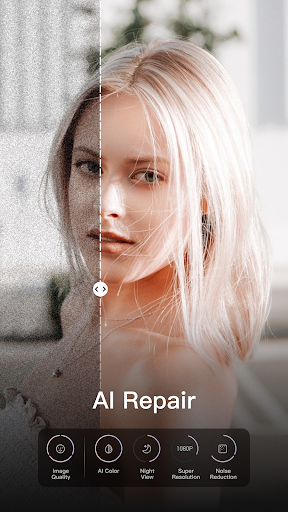
It's great most of the time, but I have a reoccurring issue when using ai repair. If for whatever reason, the upload fails, it still takes a credit from me. I've had to wait over 24 hours to try to finish importing a single clip that would have been finished in about 10 minutes. Please fix this, and I will give 5 stars.🙏🙏

Ayush Kumar
Issue with Face Enhancement After Recent Updates I’ve been using Wink’s "Scenario > Product Image" feature for a while, and it used to work perfectly. However, after the recent updates, the face enhancement results have worsened. The faces in the enhanced images look noticeably different from the original. This issue has been ongoing for the past two months, making the feature unreliable. Please fix this in future updates.

PUBG IMMORTAL
wink used to be the most Goated app for quality enchacing on HD but now you have to buy a monthly package just to enhance quality for your videos even if you are using ultra HD , In past at least first I could watch ads and continue the process but even now even after watching ads it doesn't save my video instead it says first buy the package to enjoy it. plz bring back the old wink where we can at least export our package on just Ultra hd even by watching just ads and no payment 😭🙏🏻

Kathlyn Sumalinog
This is my FIRST time using this app. Yeah, it is good. But there's an inconvenience while I am using this app; it was just now. I edited a video and put subtitles on it, and minutes later, all of them disappeared! So I just thought that, yeah, maybe because I didn't save it. I typed many letters and subtitles the second time, and it also disappeared! I am so mad lol. Because it's my period day, sooo…. Yeah, that's what I've experienced TODAY.

Ramierclarince Chavez
I saw some recommendations in an app, saying that this app has free features and good for editing. Yah, there are free features but it's no in good quality. The stabilizer is not stabilizing, the smoothness of speed 2x isn't it. The saving progress of each feature is worst. It'll came back again and again to its raw progress. WORST
Similar Applications
Explore other popular AI tools in the Video Players & Editors category









Related Articles
Read more about AI trends and insights

Best AI App for Creating Cartoons from Photos An In-Depth Analysis

AI-Powered Grammar Checker App for Academic Writing Enhancing Precision
AI-Powered Invoicing App for Freelancers Streamlining Finances.

Best AI App for Creating Explanatory Videos A Comprehensive Guide
Best AI App for Automated Trading Crypto A Comprehensive Analysis

Artificial Intelligence App Detecting Fake News with Precision
Ready to Explore More?
Discover thousands of other premium AI applications in our directory.