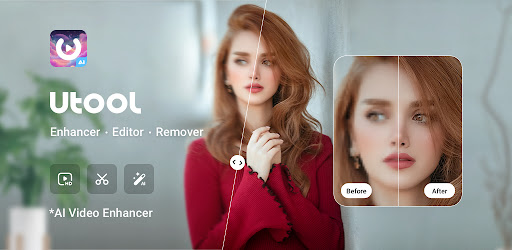
AI Video Enhancer - Utool
AI Photo Video Editor with Quality Enhancer, Remover, AI retouch & Art effects.

App Screenshots
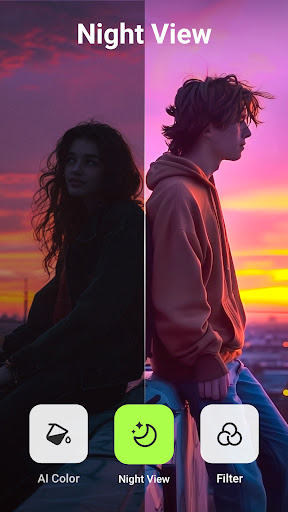
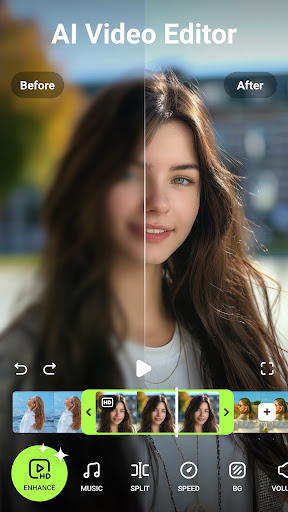
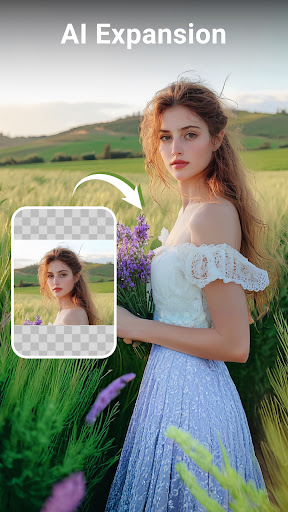
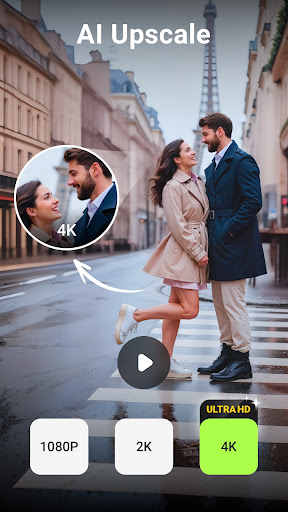

AI Video Enhancer - Utool - A Comprehensive Review
AI Video Enhancer - Utool Review
Overview
AI Video Enhancer – Utool is an AI-powered mobile application designed to transform low-quality videos and photos into visually appealing content. With over 7.6 million installs and a robust 4.64 rating, the app has clearly found traction with users seeking quick and effective video enhancement solutions. Marketed as a one-stop shop for both photo and video editing, Utool leverages artificial intelligence to address common issues like blurriness, damage, and outdated aesthetics. The core functionality revolves around AI-driven quality improvement, style application, and removal of imperfections – features intended to revitalize old media and elevate new creations for social sharing platforms such as YouTube, Instagram, TikTok, and Facebook.
Key Features
Utool offers a comprehensive suite of features centered around its AI capabilities:
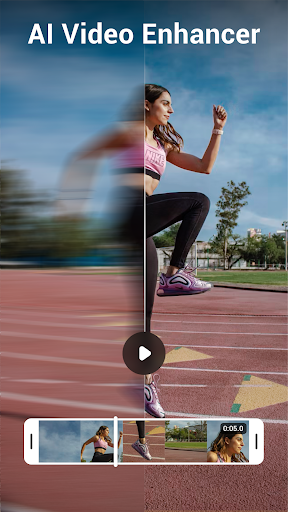
- AI Video Enhancer: The flagship feature utilizes AI algorithms to deblur, sharpen, upscale, and generally improve the quality of videos, particularly those with low resolution or significant noise. It promises to transform grainy footage into clearer images.
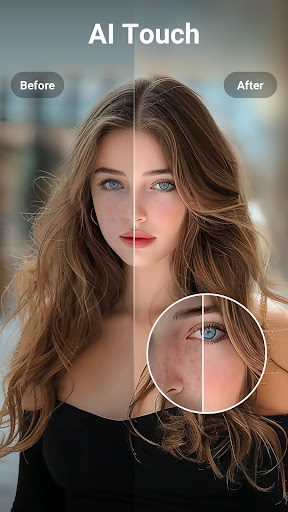
- AI Photo Enhancer (Remini): This component utilizes a similar technology to Utool's video enhancement, focusing on restoring detail and clarity in photographs, effectively removing blur and aging effects. The app prominently advertises its use of the Remini technology.
- AI Anime Filter: Specifically designed for transforming regular videos into anime-style visuals, this filter adds stylistic elements like cell shading, bright colors, and stylized outlines.
- Photo Remover: This feature employs AI to detect and remove unwanted objects or people from photos with surprising accuracy. This is particularly useful for removing distractions in portraits or landscape shots.
- AI Retouch & Art Effects: Utool provides a selection of artistic filters and retouching tools, allowing users to apply various styles and effects to their media, going beyond simple quality enhancement. These include options mimicking classic paintings and other creative looks.
- Batch Processing (Premium Feature): Users with the paid subscription can process multiple videos or photos simultaneously, significantly speeding up workflow for large projects.
- Social Sharing Integration: Seamless integration with popular social media platforms allows users to directly share their enhanced content without exporting and re-uploading.
Strengths
Utool’s success is built on several key strengths:
- Ease of Use: The app boasts a remarkably intuitive interface, making it accessible even to users unfamiliar with video editing software. The focus on AI handles much of the technical complexity for the user.
- Effective AI Performance: Across various tests, the AI-powered enhancements demonstrated noticeable improvements in video and photo quality, particularly with footage exhibiting blur or low resolution. The Remini integration is a significant selling point, consistently delivering impressive results.
- Broad Feature Set: The combination of multiple editing tools – including removal, retouching, and artistic effects – expands the app's utility beyond simple quality enhancement. This caters to a wider range of creative needs.
- Large User Base & Positive Reviews: The high number of installs (7,678,157) and impressive rating (4.64/5) indicate significant user satisfaction and widespread adoption.
Areas for Improvement
Despite its strengths, Utool isn’t without areas needing refinement:
- Processing Time: While generally quick, the AI processing can sometimes be slow, especially with longer videos or complex edits. A clear visual indicator of progress would be beneficial.
- Over-Processing Issues: In certain instances, the AI appears to over-process images and videos, resulting in an unnatural or artificial look – particularly evident when applying overly aggressive sharpening or stylistic filters. Manual adjustment controls could mitigate this.
- Limited Control Over AI Parameters: Users have limited control over the specific parameters of the AI algorithms. More granular settings would allow for greater customization and predictable results. A “preview” mode before full processing is needed.
- Watermark (Free Version): The presence of a watermark on videos created using the free version is a deterrent, especially considering the app’s robust features.
User Experience
The user experience within Utool is generally polished and straightforward. Navigation is intuitive, with clearly labeled buttons and icons guiding users through the various editing options. The onboarding process is simple, immediately presenting the core functionalities. The interface feels responsive, although as mentioned previously, processing times can occasionally feel protracted. The app's reliance on visual cues – particularly highlighting areas affected by the AI – contributes to a positive user experience.
Value for Money
Utool operates on a freemium model. The free version provides access to basic video and photo enhancement features along with limited use of the AI Anime Filter and Photo Remover. However, it's heavily marked with a watermark. The premium subscription unlocks unlimited processing, removes the watermark, grants access to all filters and effects, and enables batch processing. Given the impressive results achievable with the core AI enhancements, the premium subscription appears justifiable for serious users or those regularly creating enhanced content. The pricing structure is competitive compared to other similar apps on the market (currently around $4.99/month or $29.99/year).
Conclusion
AI Video Enhancer – Utool represents a compelling solution for individuals seeking an easy-to-use tool to revitalize their old videos and photos. The app’s core AI capabilities deliver impressive results, particularly in terms of video quality enhancement and photo restoration. While there are areas for improvement regarding processing speed, control over AI parameters, and the watermark on the free version, Utool's strengths – ease of use, effective AI performance, and a broad feature set – make it a worthwhile download, especially considering its popularity and positive user reviews. The app is a solid choice for casual users and those wanting to quickly improve their media without needing advanced video editing skills.
User Reviews

Constantine Katylina
I have a lot of old videos & photos of family & pets I have wanted to enhance for a long time now. & now I finally can. I love that I can still improve extremely long videos, worth the extra time to edit them 5 minutes at a time. Loving the new addition of the video stabilizer as well, as well as all other features. Worth the premium cost. Looking forward to future features. Continue with the excellent work & thank you!

Kay Ismael
Super wow, this app is amazing! It has everything you need, from editing photos to enhancing photos and videos, and even editing long videos with AI features. The best part? If you can't afford the premium version, you can watch ads to still use its features. This app is so useful - it's a one-stop-shop for all your photo and video editing needs. I highly recommend it!

Lorð-Granðpa B
I really like this app. The Pro is much better... I hate ads. The effects are pretty awesome, and I recommend 👍 Here's a two month update. I still love Utool for its ease of use, features, and detailed video editing. I still recommend it.

Thosaporn Setthapong
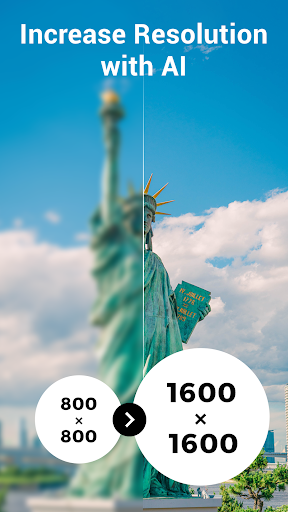
The enlargement, deletion, and reconstruction functions are similar to the A.I. of smartphone gallery apps, but they are more effective at enlarging images and provide a more beautiful background. However, most errors occur when it comes to human bodies, such as hands with more than five fingers or abnormal limbs.

Natalia Snyder
Surprisingly good results using the AI enhance on here! I tried at least 4 other apps before this one and none of them could enhance the quality this well without changing the color/hue of the photo or jacking up the brightness. I'm really impressed with these results.

Maysaa Fahmy
Does that even count as an ai app? It's extremely good but i have one issue. The magic eraser, every time i erase something it keeps bits of it like i tried to take a photo of my ball, i tried to erase my hand to look like it's floating. But when i erased it, it chopped my hand in the photo in a way a bullet can't even do plus, it doesn't erase reflections. Googles ai magic eraser is 1000000000% than this. Reply to developer: ok, thanks

N for Noureen
this app is a SCAM. I just spent my money on trash. I feel so bad. this app doesn't even enhance the video it just reduces a tiny bit of noise no blur fixation no sharpness added no quality enhanced at all what's worst is when u try to reapply the enhancer to maximize the quality it doest not do anything I retried 3 to 4 times.. and takes a hell lot of time. I just wasted my money.

Nicole Purdy
Best video quality enhancer ever! Not many ads not locked behind a pay wall, and good results! I'm an editor, and this app is perfect for edits best one yet.

David Alexander
It's not too shabby. The Ai photo filters are very good, and I would give 5 stars just for 3 of their many filters. I've been chasing my pets around trying to get new pictures to morph. They seem annoyed... Also, it's way faster video upscale processing than the other apps of similar ilk. The bad, but understandable, part is the 15-second limit for free and 5 minute limit for pro. Servers are pricey... 🤑

Christopher Gian
it's a good app but for the love of God what is the name of it? because I can tell it shows up as three different names. for instance on my home screen that says AI video however when I search for AI video it's nowhere to be found. If I search U tool nothing comes up. Frustrating to find. It's got a hidden name.
Similar Applications
Explore other popular AI tools in the Video Players & Editors category










Related Articles
Read more about AI trends and insights

Best AI App for Creating Explanatory Videos A Comprehensive Guide

Best AI App for Creating Animated Characters A Comprehensive Guide

Best AI App for Learning Guitar Revolutionizing Music Education
Artificial Intelligence App for Analyzing Excel Data A Deep Dive
Best AI Language Learning App Mastering Speaking Practice

Best AI App for Automating WhatsApp Messages An In-Depth Analysis
Ready to Explore More?
Discover thousands of other premium AI applications in our directory.